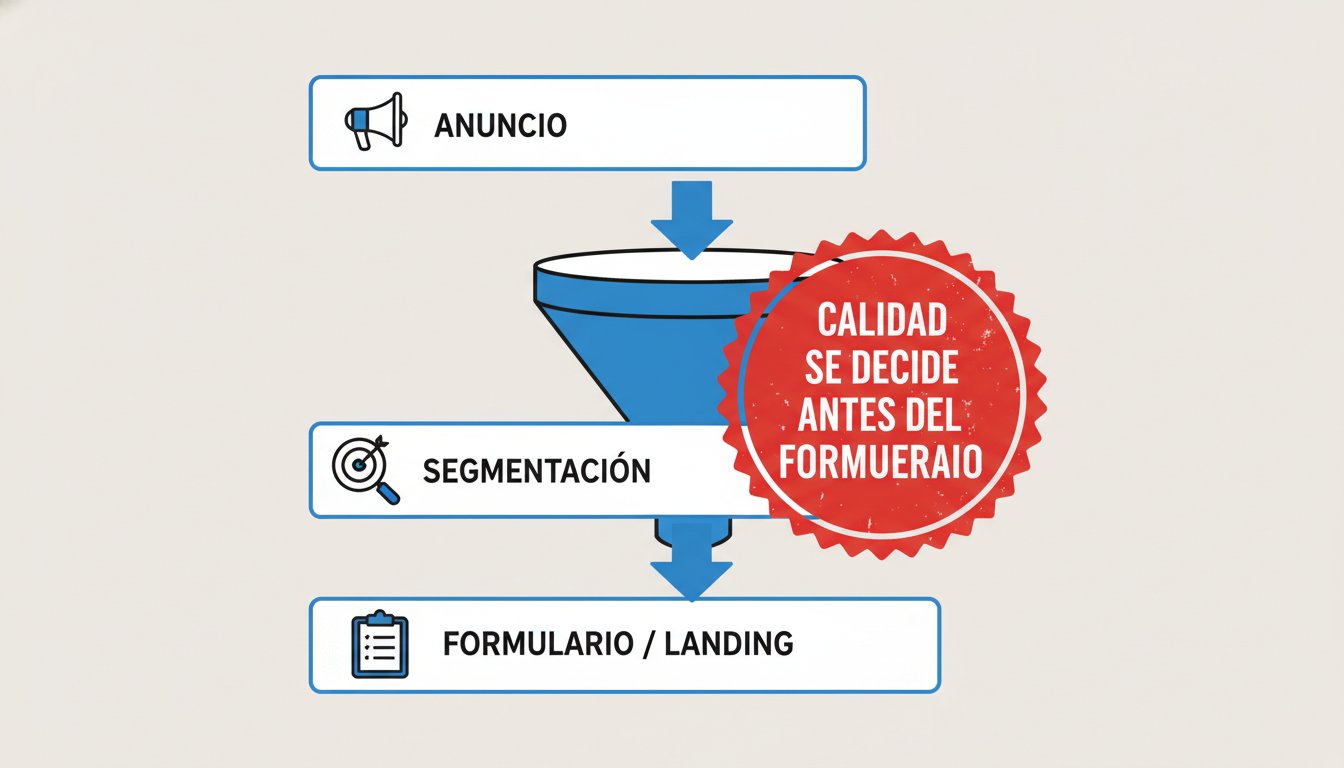
You get 30, 50, 100 sign-ups… and when the team calls, it’s all “hello, who is this?” or “I was just looking”? That isn’t “bad luck”. It’s design.
When low-quality Meta Ads leads show up, the mistake is almost always upstream: what you promised in the ad, who you showed it to and what friction (or zero friction) you put in place before submission.
If you fix that part, something nice happens: the volume of “curious browsers” drops, the percentage of people who actually respond goes up, and the investment stops feeling like a machine for filling Google Sheets.
Quick definitions (so ads and sales speak the same language)
- Low-quality Meta Ads leads: sign-ups that can’t be contacted (bad data) or don’t have a minimum fit (can’t or shouldn’t buy from you), even though they “converted”.
- Contactable lead: real data and an active channel (a phone that rings, a valid WhatsApp, an email that doesn’t bounce).
- Responsive lead: a contactable lead who responds to the first contact (not the third chase).
- Qualified lead: a contactable lead who meets the basic conditions (area, type of customer, real need and, if applicable, investment range).
- Useful lead (opportunity): a qualified lead who accepts a clear next step (appointment, diagnosis, demo, visit).
- Friction: anything that demands the prospect’s attention before they leave their details (reading, choosing, thinking). Used well, it filters.
If your “success” today is a cheap CPL but your team says “nobody answers”, the problem is your definition of quality.
A “cold” lead isn’t warmed up in sales: it’s prevented in the ad
Let’s be clear: a cold lead isn’t “someone who isn’t ready yet”. Often it’s someone who should never have come in.
The typical symptoms:
- They leave fake or incomplete details.
- They reply once and disappear.
- They ask for a price without context (or without having the profile).
- They think you offer something else.
What few people accept: Meta doesn’t “send you bad people”. Meta does what you ask it to. If your ad sounds like a “general promo for the whole planet”, you’ll attract the whole planet.
Lowering CPL helps, but the real goal is for the lead to be contactable and to have a real reason to talk to you.
Want us to review your upstream funnel (ads + targeting + form/landing page) and tell you in 20 minutes where quality is breaking down? You can see how we approach opportunity generation here: lead generation.
Quality is decided by 3 filters (and the form is the last one)
Before thinking about “changing the script” or “training sales”, review these three filters in order:
1) Offer: what are people buying in their heads?
If your ad promises “free advice” without explaining who it’s for, the market reads it as “I’ll sneak in to ask questions”.
The offer has to sound like:
- A clear result (what they gain).
- A minimum condition (who it’s for / who it isn’t).
- A specific next step (what happens after leaving their details).
A quick example (professional services):
- Bad: “Get a quote from us”.
- Better: “A 15-minute diagnosis to find out whether your ads are bringing leads that actually respond”.
If your offer doesn’t filter, the form ends up acting as the doorman… and that always turns out expensive.
2) The ad’s promise: are they understanding you or guessing?
An ambiguous ad “wins” clicks… and loses deals.
Two adjustments that improve quality without making the ad boring:
- Anchor expectations: “Medellín and the Metropolitan Area only”, “B2B companies”, “Projects from X complexity” (without turning it into a price list).
- State the invisible cost: “If you’re only comparing providers on price, this form isn’t for you”.
The idea isn’t to sound arrogant: it’s for prospects to self-select.
3) Targeting: are you buying attention from curious browsers?
Interests that are too broad + creatives that are too general = cheap curiosity.
And watch out: “curiosity” also comes from a poorly fed lookalike (based on traffic with no intent or on junk leads). If your signal source is dirty, the algorithm becomes very good… at finding more of the same.
Meta’s native form vs. your own landing page: the real impact on quality
This is where many accounts go off the rails.
Meta has two typical ways of capturing data:
- Native form (Instant Forms / Lead Ads): the user doesn’t leave Meta.
- Your own landing page: you send them to your website and convert there.
Both can work. The point is to understand the trade-off: friction vs. intent.
Native form: more volume, more risk of “yes, out of inertia”
Advantages:
- It loads quickly.
- It auto-fills data (less effort).
- Less abandonment.
In business terms: lead volume goes up, and the barrier to entry almost always goes down.
What happens when the barrier is very low? People in scroll mode come in, not people in buying mode.
How to raise quality without killing volume:
- Enable “Higher intent” (where applicable) and review the confirmation flow.
- Use qualifying questions (1–3 at most, well designed).
- Avoid yes/no questions that everyone answers “yes”.
- If your service requires a minimum budget, include it as a range to select.
Useful source: the Meta Business Help Center (Lead Ads and Instant Forms): facebook.com/business/help
Your own landing page: fewer leads, but the ones who arrive are usually more “serious”
Advantages:
- You can explain the offer better.
- You can show proof (cases, process, FAQs, objections).
- You can measure quality better with events (scroll, key clicks, time on page) and enrich the signal.
Costs:
- If your landing page loads slowly, you destroy conversion.
- If your message isn’t aligned with the ad, you destroy trust.
In businesses where the ticket is high or the decision is slower (B2B, professional services, projects), the landing page usually wins for a simple reason: users “pay” with attention. That filters.
If you don’t know which path suits you (native form vs. landing page) given your offer and ticket, at Gulupa we diagnose it with data and controlled tests. See our lead generation system here: lead generation.
If the form is your main filter, you’re already late (and it shows in your CPL)
A pattern we see a lot: “let’s add 12 fields so only serious people fill it in”.
What happens? It does filter… but it filters out the good ones too. Cost per lead soars, the algorithm runs out of signal and you end up saying “Meta doesn’t work”.
A better approach:
- Filter in the ad (who it’s for and who it isn’t).
- Set expectations before asking for data (2–3 bullet points or a short video).
- Qualify with 1–3 questions that really separate profiles.
Three questions that usually work better than “are you interested?”:
- “Which city/area are you in?”
- “Which best describes your situation today?” (options)
- “What range are you thinking of investing?” (if applicable)
The key is that each answer lets you act differently. If every option ends in “we’ll call you anyway”, you’re adding friction for the sake of it.
Targeting that brings curious browsers (even if the CTR looks nice)
Some campaigns have a nice CTR and comments… and at the same time leads that are useless. That happens when you’re optimizing for “easy signals”.
Some typical causes:
- Audiences that are too cold with a bottom-of-funnel message (“book”, “get a quote”, “buy now”).
- Aspirational interests (people who dream about the topic, not people who need it now).
- Lookalikes based on unvalidated leads (if the CRM doesn’t feed back quality, the algorithm learns junk).
- Poorly set location (if your operation is local and your targeting is “Colombia”, you’ll get leads you can’t serve).
Upstream actions that improve quality without driving you crazy:
- Separate campaigns by intent: cold (educational), warm (proof/benefit) and hot (diagnosis/appointment).
- Create a retargeting segment of people who engaged with videos, profiles or the landing page (and ask for data there).
- If you use a native form, test two versions: a “fast” one and a “qualified” one (same ad, different level of friction).
Bonus (“responsible adult” level): if you can, send quality signals back to Meta (for example, Qualified Lead or Opportunity from your CRM). If you don’t tell the algorithm which lead was good, it only learns to manufacture “leads”.
Technical source (for teams that measure seriously): Meta’s Conversions API: Meta for Developers
If your company is investing in Meta and you don’t know whether the problem is the offer, the ad, the targeting or the form, a short audit saves you weeks of trial and error. Write to us here: contact us.
Creative and copy that pre-qualify (without killing reach)
People think “pre-qualifying” means putting up a wall. In reality it means being specific.
Specific filters better than aggressive.
Practical ideas that usually raise quality:
- Mention your ideal type of client in the first line (e.g., “B2B companies already investing in ads”).
- Say what you DON’T do (one line). It attracts less noise.
- Add a real objection (and resolve it) before the button.
- Use creatives that show context: a dashboard screenshot (without sensitive data), a checklist, a 4-step process.
An example of copy that filters:
“If you’re paying for Meta Ads and your leads don’t answer, the problem is usually before the form. We’ll run a diagnosis and tell you where the junk is getting in. (If you’re looking for ‘just the cheapest lead’, this diagnosis will make you uncomfortable.)”
This doesn’t scare away the good ones. The good ones love it when someone talks straight.
If you want us to review your current ads and propose 3 copy/creative variations to raise quality (not just volume), tell us about your case here: contact us.
How to measure “quality” without waiting for sales to get fed up
If your only metric is CPL, you’re driving blind.
Define 3 upstream metrics you can measure every week (and that you can discuss in a single sentence):
- % contactable: leads with valid data and an active channel.
- % qualified: meets the basic condition (city, type of company, real need, range).
- Time to first contact (if you take days, the lead “cools off” even if it’s good).
A simple way to put it into practice (so nobody “invents” quality):
| Metric | Citable definition | What it reveals |
|---|---|---|
| % contactable | Out of every 100 sign-ups, how many have real data and an active channel | Whether the problem is “junk” (data) |
| % responsive | Out of every 100 contactable leads, how many respond to the first contact | Whether the problem is “quality” vs. “speed/script” |
| % qualified | Of the contactable leads, how many meet the minimum profile | Whether the filter lies in the ad/targeting |
| % opportunity | Of the qualified leads, how many accept a next step (appointment/demo) | Whether the offer and proposal really convince |
And a simple operating rule: if you change the ad/targeting/form, wait until you have a minimum sample before declaring victory or failure. If you “optimize” every 24 hours, you’re only training anxiety.
A 7-day plan to stop buying junk leads
If you need quick order (without rebuilding everything), here’s an actionable plan:
- Day 1: review the ad’s promise vs. what people think they’ll receive.
- Day 2: adjust targeting to your real geography and exclude obvious “curious browser” audiences.
- Day 3: create two forms: fast vs. qualified (1–3 questions).
- Day 4: test a “specific” creative (process/result) against a “pretty” one.
- Day 5: if you send traffic to a landing page, check its speed and consistency with the ad.
- Day 6: set % contactable and % qualified as weekly KPIs.
- Day 7: make decisions with those KPIs, not with likes.
If this sounds like a lot of work, it’s because it is… when there’s no system. With a system, it becomes an optimization routine.
Frequently asked questions
What does “low-quality Meta Ads leads” mean?
It means you’re paying for sign-ups that can’t be contacted (bad data) or don’t meet the minimum profile to buy from you. It isn’t that “they’re cold”; it’s that they shouldn’t have come in.
Which is better for quality: Meta’s native form or your own landing page?
It depends on the ticket and the context you need to explain. The native form usually brings more volume (more inertia); your own landing page usually filters better when the service requires attention and a decision.
How many fields should a form have to improve quality?
Enough to make a decision (usually 1–3 qualifying questions). More fields without a clear purpose increase friction and damage the algorithm’s signal.
How do I raise quality without sending cost per lead through the roof?
Filter from the ad (a specific message) and use smart qualifying questions. That way you reduce noise without “shutting the door” with an endless form.
What can I change first if leads don’t answer?
Start by aligning the ad’s promise and the audience. Then test two levels of friction (fast vs. qualified form) and compare % contactable and % qualified.
If your Meta investment is filling your CRM with contacts that are useless, you don’t need more “tips”. You need a capture system that filters from the ad and measures quality seriously.
See how we approach it at Gulupa Digital with a measurable opportunity engine: lead generation, or write to us and we’ll review it with you: contact us.