Does your business want to “sell online”, or does it want to get paid, ship, respond and not go crazy with every order?
Because that’s where it’s decided whether you’ll love WooCommerce… or end up with a “store” that only works as a pretty catalog, with no measurement, no control and a checkout that scares customers away.
If you’re evaluating WooCommerce and it still sounds like a “technical plugin”, stay: you’ll understand what WooCommerce is and how it works in real life (order, payment, inventory, shipping, returns), roughly how much it costs and when it makes sense compared with alternatives like Shopify.
WooCommerce in business language: what it is and what it’s for (no hype)
Short definition: WooCommerce is a WordPress plugin that turns your website into an online store and manages the full sales flow: products, cart, checkout, payments, shipping and orders.
The short definition is fine. What matters to you as a company is this:
- It lets you sell 24/7 on a channel you own (your website), with control over catalog, prices, promotions, payments, shipping and customers.
- It gives you a foundation for marketing with traceability: you can measure conversion, cart abandonment, top products, average ticket and campaign return.
- It’s flexible: you can start simple (a few products) and grow with integrations, automations and business rules.
When someone asks “what is WooCommerce for?”, the real answer is: it’s for making your operation stop depending on scattered messages on WhatsApp/Instagram and become a repeatable process.
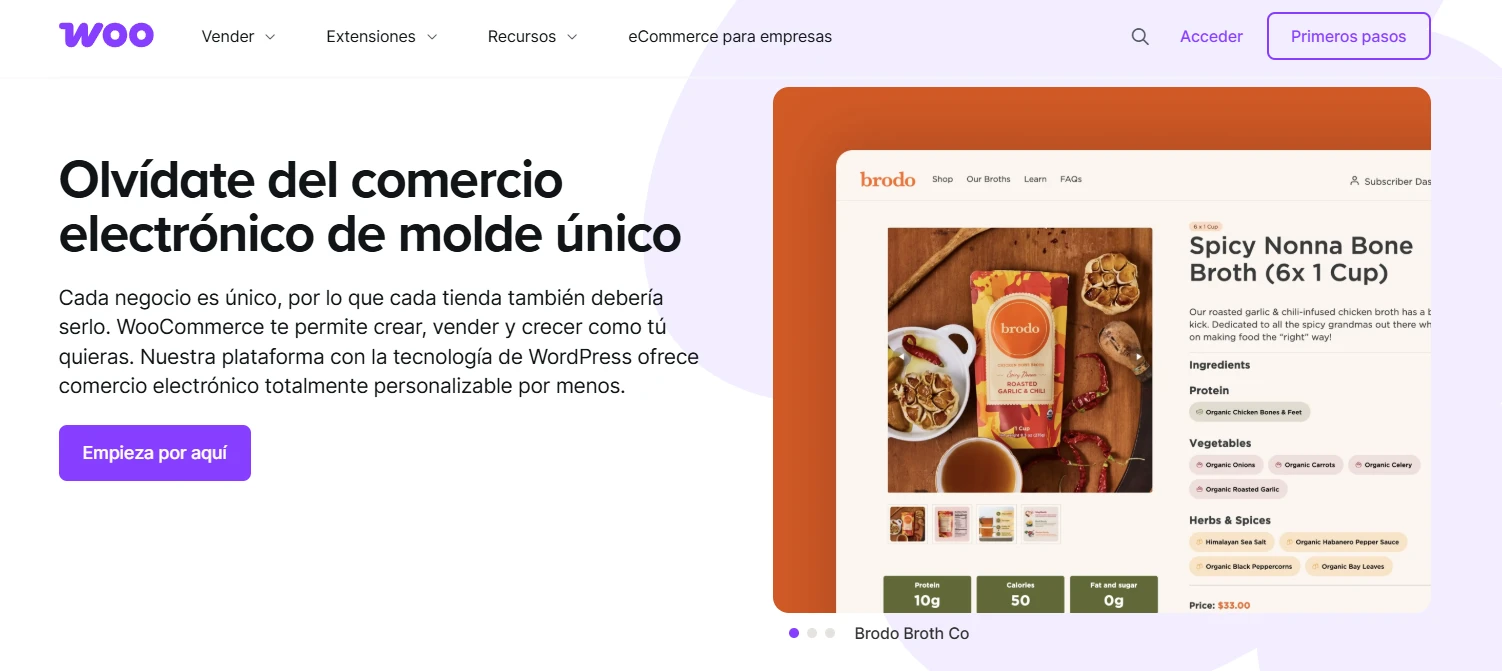
If you’re wondering what WooCommerce is and how it works for your specific case (physical products, services, bookings, subscriptions, B2B), what matters isn’t the plugin: it’s the architecture around it (checkout, payments, logistics and measurement). Does your store have that control today, or are you guessing?
How WooCommerce works (the order, step by step)
“Selling with WooCommerce” isn’t just publishing products. WooCommerce works as a chain of steps, and if one fails, it shows in your cash flow.
This is what a typical purchase looks like:
1) Catalog and product
You set up simple or variable products (size, color, presentation), photos, price, stock, SKU and attributes for filters. In businesses with volume, this becomes your commercial inventory, not “a list”.
2) Cart
The cart stores what the user selects and applies coupons, shipping rules and tax calculations. It’s also a critical stage for remarketing: if you don’t measure it, money slips away silently.
3) Checkout (where sales are won or lost)
The customer enters their details, chooses shipping and pays. If the checkout asks for too much, loads slowly or looks odd on mobile, abandonment rises. It isn’t an opinion: we see it all the time in audits.
4) Payment
WooCommerce connects to payment gateways (depending on country and bank) and processes the payment. The order status changes (pending, processing, completed, failed). Cash on delivery or bank transfer can also be handled.
5) Order management
The admin receives the order, prepares the shipment, generates the waybill (if integrated with logistics), updates statuses and triggers transactional emails (confirmation, shipping, delivery).
6) After-sales
Returns, refunds, support, reviews, repeat purchases. WooCommerce allows rules, but the experience is defined by how you implement it.
Here’s the part almost nobody tells you: what WooCommerce is and how it works is better understood as an operation than as software. If the operation isn’t clear, the store feels “thrown together”, and it shows.
If your store doesn’t measure or convert today, it’s almost always the implementation. See how we integrate WooCommerce as a commercial asset: online stores.
What you need to really sell: inventory, shipping and measurement
WooCommerce shines when you use it to organize the business, not just to “have a store”. In practice, this is what it enables:
Inventory that doesn’t betray you
You can manage stock by product/variation, low-stock alerts, out-of-stock products and backorders (if applicable). For companies selling through several channels, the challenge is synchronization: that’s where integrations with an ERP or inventory system come in.
Shipping with real rules
Rates by city, by weight, by minimum order amount, pickup points, free shipping with conditions. If you sell nationwide, setting up shipping zones stops being a detail and becomes part of your margin.
Taxes and invoicing
WooCommerce allows tax configuration; electronic invoicing and its rules usually require integration with a provider or custom development depending on the country. If you don’t plan for it from the start, you end up with rework.
Promotions and prices your team can manage
Coupons, discounts by amount, bundles, prices by variation, scheduled offers. “Selling with WooCommerce” gets easier when the team can operate without depending on a developer for every promotion.
Automation and data (without guessing)
Behavior-based tags, cart recovery, email marketing, analytics events, audiences for ads. This is where a store goes from “open and wait” to “measure and push”.
If you’re going to invest in traffic (SEO or ads), this part isn’t “for later”. Without measurement, you’re just buying hope.
If your goal is to bill online, WooCommerce works when you connect it to your reality: catalog, logistics, customer service, margins and measurement. Could your team run the store without calling you every time?
How much WooCommerce costs: project vs. operation (no fixed rates)
The million-dollar question. And yes, it can be answered without lying to you.
The cost of selling with WooCommerce is split into two layers: setup (the project) and operation (monthly/yearly). The real investment depends on scope: number of products, catalog complexity, design, integrations, payment gateway, logistics, invoicing, languages, B2B and the level of measurement you want.
1) Store setup (the project)
In Colombia, a WooCommerce store can start with a basic setup and scale to a robust implementation (conversion, performance and automation).
- For a professional e-commerce site with a solid structure, the reference usually starts with well-executed projects (stores built as commercial assets, not “pasted-on” templates).
- At Gulupa Digital, our professional VIP online store (WooCommerce) has an entry reference from COP 6,990,000 and is adjusted according to scope, integrations and level of measurement.
Watch out for “cheap”: the real cost often appears later in the form of a broken checkout, incompatible plugins, slowness, outages and endless support.
2) Operating costs (monthly/yearly)
These are the typical expenses you should budget for:
- Domain and hosting (and quality matters here: speed and stability affect sales).
- SSL certificate (sometimes included with hosting).
- Payment gateway (a fee per transaction + possible fixed charges depending on the provider).
- Plugins/extensions (some free, others with annual licenses).
- Support and maintenance (updates, security, backups, monitoring, bug fixes).
A quick table for budgeting without fooling yourself:
| Item | Paid | What it covers | Practical note |
|---|---|---|---|
| Implementation (project) | Once | Design, configuration, checkout, integrations, measurement | This is where it’s decided whether it converts or “just exists” |
| Hosting | Monthly/yearly | Infrastructure and performance | Slow store = higher CPA |
| Domain + SSL | Yearly | Identity + security | Usually inexpensive, but mandatory |
| Payment gateway | Per transaction | Payment processing | Check fees and reconciliation |
| Plugins/licenses | Yearly | Extra features (shipping, invoicing, etc.) | Fewer plugins, better architecture |
| Maintenance | Monthly/yearly | Updates, security, backups | If you’re selling, this isn’t optional |
If a store is a serious sales channel, treating maintenance as “optional” is like driving without insurance and hoping nothing ever happens.
If you already have a store and what you’re missing is stability (security, updates, support), this will interest you: WordPress support and maintenance.
WooCommerce vs. Shopify: a comparison without fanaticism
This comparison isn’t won by fanaticism. It’s won by fit with the business.
The basic difference
- WooCommerce: your store lives on WordPress. You control the hosting, code, stack and many technical decisions.
- Shopify: an “all-in-one” platform hosted by Shopify. You pay a monthly fee and work within its rules.
A quick comparison (what affects sales and control)
| Topic | WooCommerce | Shopify |
|---|---|---|
| Ownership of the asset | High (your infrastructure) | Medium (you depend on the platform) |
| Initial cost | Variable (project) | Low/medium (setup) |
| Recurring cost | Hosting + licenses + support (case by case) | Monthly fee + apps + fees |
| Customization | Very high (custom) | High, but with limits |
| SEO + content | Excellent if you already work with WordPress | Good, but less natural for long-form content |
| Complex integrations | Possible (sometimes with development) | Possible (sometimes with apps) |
| Internal operation | Requires more technical judgment behind it | Simpler to operate |
When does WooCommerce usually win?
- You already have (or want) a WordPress website with content and SEO as an engine.
- You need real customizations: pricing rules, checkout, B2B, integrations, automations.
- You care about owning your digital asset and don’t want to depend on a subscription whose terms change.
When does Shopify usually win?
- You need to launch quickly and your operation is relatively standard.
- You don’t want to manage hosting or worry about updates.
- You prefer paying a monthly fee for simplicity and prioritize time to market.
If you’re left wondering “WooCommerce vs. Shopify: which sells more?”, the honest answer is: the one with the better offer, better traffic and better checkout sells more. The platform only multiplies (or destroys) those things.
Understanding what WooCommerce is and how it works matters, yes. But it matters more whether your store is ready to turn visits into orders without friction.
Want us to tell you which one suits your catalog and operation (without a sales pitch)? Book a conversation here.
Why it sometimes “doesn’t work”: typical mistakes (and it isn’t WooCommerce’s fault)
When someone says “WooCommerce doesn’t work”, they’re almost always describing one of these problems:
A checkout that asks too much and doesn’t inspire trust
Endless fields, confusing shipping methods, payment errors, odd copy, a messy design on mobile. Customers don’t “abandon” you: they protect themselves. If your store feels unsafe, the card stays in the wallet.
Mediocre performance (a slow store is an expensive store)
Every extra second increases friction and lowers conversion. In e-commerce, speed isn’t a technical whim: it means a higher cost per acquisition and a lower return.
Impulse plugins
Installing extensions without judgment usually breaks compatibility, inflates load times and creates intermittent bugs (the worst kind). WooCommerce is flexible, but flexibility without architecture becomes technical debt.
Payments and logistics “half solved”
In Colombia, properly integrating the payment gateway and shipping (and testing the whole flow) makes the difference. Many stores stop at “there’s a pay button now”, but don’t validate reconciliation, order statuses, notifications, retries and support.
Zero measurement
Without e-commerce events in GA4 (view_item, add_to_cart, begin_checkout, purchase) and without clear funnels, everything becomes opinion. And opinion doesn’t pay the payroll.
If your goal is to sell with WooCommerce and not just “set up a store”, the first job is to eliminate these mistakes before putting money into ads. Is your store ready to receive traffic today without wasting it?
If you’d like us to review your checkout, speed and measurement (quickly and without drama), write to us here.
When WooCommerce makes sense (and when you’ll regret it)
WooCommerce makes sense when your company wants to build its own asset and is willing to do it properly from the start.
WooCommerce suits you if…
- Your website needs content and SEO as a constant channel (WordPress + blog + store makes a lot of sense).
- You’re going to scale your catalog, campaigns and automations over time.
- You need integrations with internal systems or particular processes.
- You want control over analytics, performance and structure without depending on a closed platform.
You’ll suffer with WooCommerce if…
- Your team expects “installing a plugin” to solve logistics, customer service and invoicing.
- Nobody is going to take charge of maintenance (updates, security, backups).
- You have a chaotic catalog (no SKUs, no photos, no clear prices) and want “the store to sort it out”.
The business that benefits most from WooCommerce is the one that understands that an online store is a process, not a design.
If your priority is operational control and scalability, WooCommerce can be your best ally. Is your operation ready for selling online not to depend on putting out fires?
A minimum checklist + FAQ (to decide without drama)
A minimum checklist for launching a store that isn’t born lame
You don’t need 200 features. You need the minimum done well:
- A checkout optimized for mobile (fast, clear, no useless fields).
- A payment gateway tested with real transactions (and a plan B if it fails).
- Shipping zones and rates reviewed against margins (no “free shipping” by accident).
- Transactional emails that arrive and don’t look like spam.
- Clear policies: exchanges, returns, delivery times, warranties.
- Measurement ready from day 1: Analytics/GA4, e-commerce events, conversions, funnels, Search Console.
- Performance and security: caching, optimized images, backups, updates.
At Gulupa Digital we work like this: strategic discovery, conversion-oriented design, structured development, real measurement and continuous optimization. It’s the difference between “we opened a store” and “we opened a sales channel”.
If you want to launch on a solid foundation (and not live on hype), see our WooCommerce implementation.
Quick answers (for Google, for AI and for your team)
If someone in your company asks for a definition to make a decision, here it is without detours:
- WooCommerce is an e-commerce solution that runs on WordPress and lets you sell on your own website.
- It’s used to manage products, inventory, payments, shipping, orders and customers, with room for customization and integrations.
- The key isn’t “installing it”; it’s implementing operations + checkout + measurement.
If you’re comparing options, WooCommerce is usually ideal when you want control and scalability in an asset you own; Shopify is usually ideal when you prioritize speed to launch and operational simplicity, with recurring costs.
Would you like us to evaluate your case with data (catalog, logistics, ticket, margins) and give you a clear recommendation?
Frequently asked questions
What is WooCommerce and how does it work?
WooCommerce is a WordPress plugin that turns your website into an online store. It works by managing the catalog, cart, checkout, payments, shipping and order statuses, and it can be extended with integrations and development.
What is WooCommerce used for in a company?
It’s used to sell online with operational control: products, inventory, orders, customers, shipping rules and measurement. Implemented well, it becomes a sales channel you own (not a catalog).
Can you sell with WooCommerce without knowing how to code?
You can run the store day to day (products, orders, coupons). For customizations, integrations or conversion/performance improvements, you usually need technical support.
Does WooCommerce charge a monthly fee?
WooCommerce as a plugin doesn’t charge a monthly fee by itself, but there are costs for hosting, the domain, the payment gateway (fees) and possibly licenses for extensions or support/maintenance.
WooCommerce vs. Shopify: which is better for getting started?
If you want to launch quickly with a standard operation, Shopify is usually simpler. If you want control, content SEO on WordPress and custom personalization, WooCommerce is usually the better foundation. The decision depends on your catalog, team and plans.
How much does a WooCommerce store cost?
It depends on the scope (design, products, integrations, logistics, invoicing, automations) and the level of conversion/measurement you want. As a reference, a professional store is defined by project + operation; the real number comes from a diagnosis, not a template.
Recommended sources
If your company wants to sell online seriously, the question isn’t whether WooCommerce “can do it”. The question is whether you’re going to launch a store that converts, measures and can be run without drama.
If you want a WooCommerce store ready to sell (and to scale), see our professional VIP online store or write to us here.