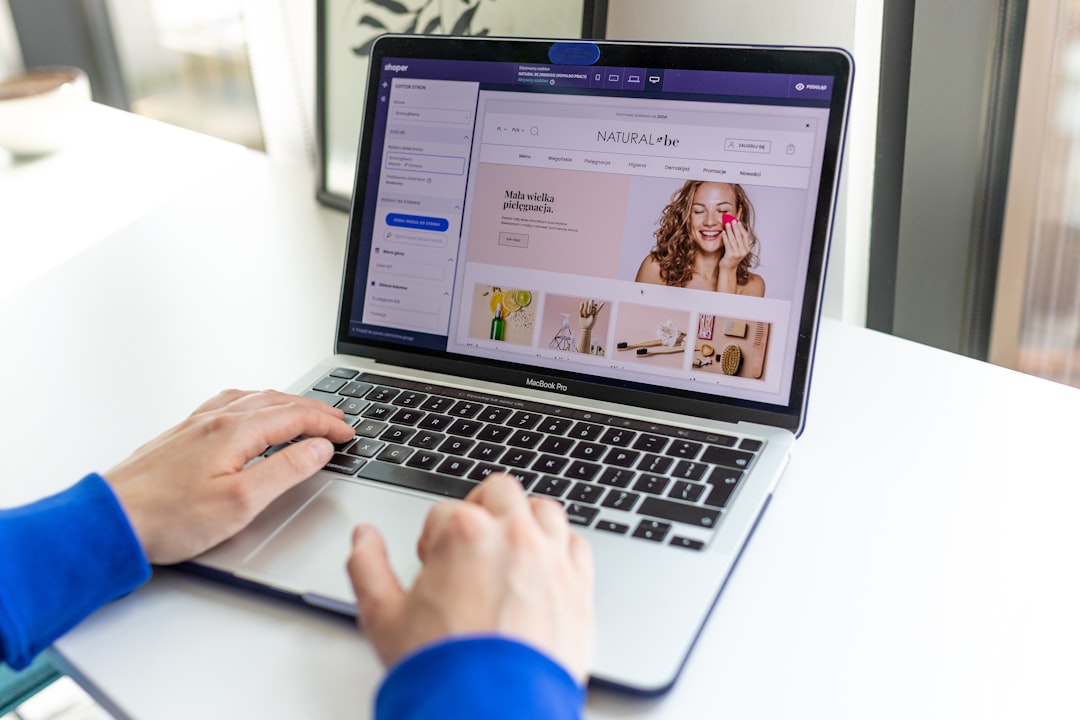
Before signing any online store proposal, you need to know one thing: the price you were quoted probably doesn’t include everything you need to sell.
It isn’t that agencies cheat. It’s that a working e-commerce site has critical components many base quotes don’t cover, and they show up when you’re already in production or, worse, after you’ve launched.
This article gives you the real breakdown.

Why WooCommerce is the standard in Colombia
WooCommerce is the most widely used e-commerce plugin for WordPress in the world, and in Colombia it has very high penetration among SMEs and mid-sized companies. The reasons are concrete:
- It’s open source (the base platform is free)
- It runs on WordPress, the most documented CMS in the world
- It integrates with the most used Colombian payment methods: PayU, ePayco, Mercado Pago, PSE
- It’s fully customizable without depending on the limits of platforms like Shopify or Tiendanube
- The site and the data are yours, not a third-party platform’s
The downside: it requires technical setup and maintenance. A well-built WooCommerce store isn’t a template with a different logo. It’s a development project with multiple layers.
What happens when the store starts really selling
When a store starts selling, the problem is no longer “how to set it up” but “how to sustain it”. More orders mean more emails, more support, more inventory to manage and more need for measurement.
If the foundation isn’t well thought out, growth brings chaos. If the store is organized, every new sale strengthens the system. That’s why the initial design matters so much: it keeps success from outgrowing you.
In WooCommerce, a good structure means selling more doesn’t break everything. That’s the difference between a pretty store and a store that holds up.
If you’re already growing, check whether your store is ready to handle more sales without suffering.
What really drives conversion in a WooCommerce store
The platform matters, but conversion is driven by something else: catalog clarity, speed, trust and a checkout that isn’t an obstacle course. If any of those pieces fails, the store can look pretty and still sell little.
A product page with bad photos, weak descriptions and zero trust signals sells less than a simple but well-structured one. The same goes for poorly built categories or menus that force users to guess.
In WooCommerce, design can’t compete against usability. If visitors don’t understand what to buy, how much it costs or how to pay, they leave. Simple and cruel.
If you already have a store or are about to build one, review the buying experience first. That’s usually where the money is.
What a store that’s really ready to sell should include
A store that’s ready to sell doesn’t just “accept payments”. It needs a reliable gateway, transactional emails, healthy load times, clean navigation, useful filters and a category structure that doesn’t make users sweat.
It also needs measurement. Without purchase events, cart abandonment, product clicks and browsing behavior, you won’t know what to improve. A store without data is a pretty box.
If you sell B2B, things change a bit: you may need quote tools, price lists or approval flows. WooCommerce supports them, but they have to be designed properly from the start.

Before publishing the store, check whether every step of the journey helps or gets in the way. Small obstacles are what steal the most sales.
What makes a project more expensive (and nobody looks at it at the start)
The cost rises when the catalog is large, when there are variations, when integration with inventory is required or when the business needs automations. It also rises if photos need redoing, copy needs rewriting or product information needs correcting.
Another less visible factor is maintenance. Many quotes show only the build and leave out the part that keeps the store alive. Then come outdated plugins, compatibility errors and outages at key moments.
If the business grows, the store has to grow too. And that’s planned from the start, not after a sales peak has nearly blown up the site.
Ask for construction, operation and maintenance to be separated. Lumping everything into a single figure usually hides surprises.
How to compare it with other options without following fads
WooCommerce competes with Shopify, but also with simpler platforms that sometimes look attractive because they’re easy. The problem is that initial ease can turn out expensive if you later need flexibility, data control or local integrations.
For a Colombian company that wants to sell seriously, WooCommerce is usually a solid bet because it combines ownership of the asset, flexibility and good integration with local payment methods. It isn’t always the right option, but it’s one of the most complete.
The right question isn’t “which one is prettier”. It’s which one supports your operation when you sell more, have more products and need more control.
If you’re comparing platforms, do it with a list of real needs. Not with an internet fad.
The real components of a WooCommerce store in Colombia
1. Hosting and domain
WooCommerce needs quality hosting. A COP 15,000-a-month shared hosting plan isn’t enough for a store with a real catalog and traffic. The recommended minimum is managed WordPress hosting with at least 4 GB of RAM.
- Hosting: COP 80,000 – 250,000 per month depending on volume
- Domain: COP 30,000 – 60,000 per year
2. SSL certificate
Mandatory for any site that handles transactions. Many hosting plans include it today.
3. Design and development
This is where costs vary most. The ranges in Colombia are:
| Type of project | Range | What it includes |
|---|---|---|
| Basic store (template + setup) | COP 2,500,000 – 4,500,000 | Premium template, 20–50 products, payment gateway |
| Professional store | COP 6,990,000 – 10,000,000 | Custom design, large catalog, inventory integration |
| Advanced / enterprise store | COP 10,000,000 – 25,000,000+ | Multiple vendors, complex integrations, massive catalog |
At Gulupa Digital, VIP online stores start at COP 6,990,000 and include custom design, full WooCommerce setup, payment gateway integration and basic speed optimization.
4. Payment gateway
In Colombia the most used options are PayU, ePayco and Mercado Pago. All charge a commission per transaction (between 2.9% and 4.5% + a fixed fee), plus setup and integration costs if they aren’t included in the development.
Credit cards, debit cards and PSE are a must. Nequi and Daviplata add conversion, especially among younger segments.
5. Product loading
If you have 100 products, someone has to load them with a photo, an optimized description, SKU, categories and variants. Many proposals include “loading X products” as part of the development. Check how many and how detailed the work is.
6. Speed optimization
An unoptimized WooCommerce store can take 8–12 seconds to load. With well-executed optimization, that can drop to 1.5–3 seconds. The difference in conversion rate is enormous. Not every proposal includes it.
7. Initial SEO
URL structure, meta tags, product schema: this is technical work that should be done while the site is being built, not afterwards.
8. Support and maintenance
An online store that isn’t maintained accumulates vulnerabilities, outdated plugins and eventually failures that stop sales. Budget for monthly or annual maintenance from the start.
What usually isn’t in the base quote and costs extra
- Integrations with ERP or inventory systems: if you have a system such as Siigo, World Office or SAP and want it synced with the store, that’s additional development.
- Email marketing automations: abandoned cart, personalized order confirmation, win-back of inactive customers.
- Advanced catalog features: complex filters, product comparisons, B2B quote tools.
- Multi-currency or international sales: require additional tax, currency and logistics settings.
- Product photography: if you don’t have quality photos, they have to be produced. A product photo shoot in Colombia can cost between COP 500,000 and 2,500,000.
WooCommerce vs. Shopify in Colombia: the question that always comes up
Shopify has the advantage of being a managed platform: hosting, security and updates are handled by them. The downsides: plans priced in dollars (Basic from USD 39 per month, Shopify from USD 105 per month), the extra commission if you use external payment gateways and dependence on the platform.
WooCommerce requires more initial technical work and active maintenance, but flexibility is total and there are no recurring platform costs beyond hosting.
| Factor | WooCommerce | Shopify |
|---|---|---|
| Monthly platform cost | Hosting (COP) | USD 39–399 per month |
| Site ownership | 100% yours | Dependent on Shopify |
| Customization flexibility | High | Medium |
| Ease of use without a technician | Medium | High |
| Integration with Colombian payments | Excellent | Good (with extra commission) |
| Scalability | High | High |
For most Colombian SMEs with a technical team or an agency, WooCommerce is the most cost-effective option in the long run.
Frequently asked questions
How long does it take to build a WooCommerce online store in Colombia?
A well-executed professional store takes between 4 and 8 weeks, depending on the number of products, the integrations required and how quickly the design is approved. A basic store can be ready in 2–3 weeks.
How much does it cost to keep a WooCommerce store running in Colombia?
Between COP 150,000 and 600,000 per month, depending on the level of support, the volume of updates and whether active technical support is included. Not budgeting for maintenance is one of the most expensive mistakes in e-commerce.
Does WooCommerce work for B2B in Colombia?
Yes, with additional configuration: price lists, a customer portal with login, quotes instead of direct purchases and ERP integration. It’s more work than a standard B2C store, but the platform supports it.
How hard is it to manage a WooCommerce store if you aren’t technical?
With basic training, day-to-day management (loading products, handling orders, updating prices) is accessible to anyone without technical knowledge. Design changes or advanced configuration do require support.
How does WooCommerce integrate with PSE in Colombia?
PSE is integrated through certified payment gateways: PayU, ePayco and Mercado Pago have official WooCommerce modules that include PSE. The integration is part of the store development process.
How many products can I have in a WooCommerce store?
WooCommerce has no technical limit. The real limit is the server’s capacity. With adequate hosting, stores with 5,000–10,000 products work well.
Does WooCommerce work for selling services?
Yes, when the flow is adapted to bookings, packages or quotes. Not everything has to be a classic shopping cart.
Can I grow without rebuilding the store?
Yes, if the architecture was well thought out from the start. A good foundation avoids unnecessary redesigns when the business scales.
What should I check first in an existing e-commerce site?
Speed, catalog, checkout, trust and abandonment tracking. If those are wrong, everything else matters less.
Request a quote for your online store
If you want to know exactly how much your store would cost based on your catalog, your integrations and your sales goals, the first step is a no-obligation conversation.
Before settling on a number, also read how much a website costs in Colombia to understand what happens with the technical foundation.
Request a quote for your online store → online stores